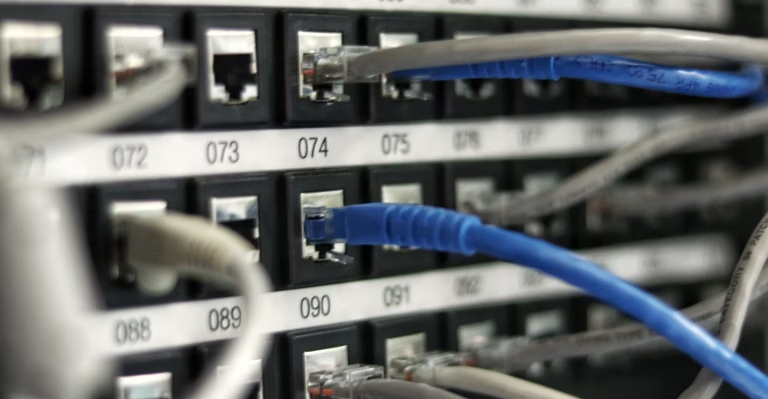
Does My Hosting Provider Handle Website Security? (The Honest Truth)
Quick facts at a glance
- Shared Responsibility: Asking does my hosting provider handle website security reveals a key distinction: hosts secure server hardware, while you must secure your WordPress site.
- Server vs Application: Web hosts protect the physical datacenter and server OS; they do not patch your WordPress plugins or themes.
- Hacked Account Liability: If your site gets infected with malware, most web hosts will suspend your account rather than clean it for free.
- Your Security Responsibilities: Strong passwords, two-factor authentication (2FA), routine backups, and SSL are your responsibility.
- Layer 7 Defense: Deploying a Web Application Firewall (WAF) blocks automated bot attacks before they reach your server.
Short Answer
Does my hosting provider handle website security? Partially. Web hosts secure the server hardware, network uptime, and operating system against datacenter breaches. However, they do not manage your WordPress logins, plugin updates, theme vulnerabilities, database backups, or user authentication — which remain 100% the website owner’s responsibility.
I am the team behind WebGold Digital, a web design and SEO agency based in Nsawam, Ghana, and I will give you the honest reality about web security. If you would rather we manage, secure, and maintain your entire website stack for you, message us on WhatsApp or see our portfolio first.

Figure 1: Web hosts maintain physical datacenter security, but application security inside WordPress belongs to the website owner.
Many Ghanaian business owners assume that once they buy web hosting, their site is completely protected from hackers. Unfortunately, this dangerous misconception leads to hundreds of hacked websites, stolen customer records, and Google blacklists in Accra and Kumasi every year.
Does My Hosting Provider Handle Website Security? Server vs Site Security
The web hosting industry operates under a Shared Responsibility Model. Here is how security duties are divided:
| Security Domain | Who Is Responsible? | What It Covers |
|---|---|---|
| Physical & Network Security | Hosting Provider | Datacenter protection, network DDoS defenses, server power, and hardware replacement |
| Server OS & Web Server | Hosting Provider | Linux OS patches, Apache/LiteSpeed updates, cPanel security, and PHP runtime |
| WordPress Core & Plugins | Website Owner (You) | Updating plugins, deleting inactive themes, and patching software vulnerabilities |
| User Accounts & Logins | Website Owner (You) | Enforcing strong passwords, limiting login attempts, and setting up 2FA authentication |
| Data Backups & Disaster Recovery | Website Owner (You) | Maintaining offsite cloud backups in Google Drive or AWS storage |
Why Web Hosts Do Not Protect Your Application Layer
Over 90% of web attacks occur at the Application Layer (Layer 7), which your web host cannot control.
In an insightful security breakdown by Cloudbric on whether hosting providers are responsible for web security, cybersecurity specialists point out that hosting companies view individual site data as the private property of the owner. If an attacker cracks an administrator password or exploits an unpatched WordPress plugin, the hosting server interprets the malicious commands as legitimate user activity and cannot be held liable.
| Threat Type | Does Host Block It? | How Website Owner Must Protect |
|---|---|---|
| Datacenter Power Outage | Yes (Generator backups) | No action needed |
| Brute-Force Password Guessing | No | Install Two-Factor Authentication (2FA) and limit login attempts |
| Vulnerable Plugin Exploit | No | Update all plugins bi-weekly and run Web Application Firewalls (WAF) |
| SEO Spam & Malware Injection | No (Will suspend account) | Deploy malware scanners and clean infected files immediately |

Figure 2: Layering application firewalls and strong authentication prevents hackers from exploiting website vulnerabilities.
What Happens When a Website Gets Hacked in Ghana?
When malware is discovered on a shared server, hosting providers take protective measures to safeguard their server IP reputation:
- Account Suspension: Your hosting provider will take your website offline to stop malware scripts from sending spam emails or attacking other servers.
- Google Blacklist Warnings: Google flags your domain with a red “This site may be hacked” warning, destroying customer inquiries.
- Expensive Cleanup Upsells: Hosts will refer you to expensive third-party security cleanup services starting from $200+ (GH¢2,500+).
- Potential Data Loss: If you do not have an independent offsite backup, malicious code may overwrite your original pages permanently.
5 Security Steps Every Business Owner Must Take
Do not rely solely on your hosting company. Implement these five essential security layers immediately:
| Security Layer | Recommended Tool | Action Required |
|---|---|---|
| Two-Factor Authentication | WP 2FA / Google Authenticator | Require dynamic 6-digit phone passcodes on all admin accounts |
| Web Application Firewall (WAF) | Cloudflare / Wordfence | Filter incoming traffic and block automated hacking scripts at the edge |
| Offsite Cloud Backups | UpdraftPlus / Google Drive | Schedule automatic weekly backups stored away from your web host |
| SSL Padlock Encryption | Let’s Encrypt / AutoSSL | Force HTTPS encryption across all pages and web forms |
| Routine Maintenance | WebGold Digital Maintenance Plans | Test and patch core software, themes, and plugins bi-weekly |
Ready to lock down your login dashboard? Follow our step-by-step guide on how to set up two-factor authentication on WordPress.
How to Take Control of Your Website Security
Understanding does my hosting provider handle website security is essential so you do not leave your WordPress dashboard open to automated brute-force attacks and malware infections. Follow this monthly routine:
- Step 1: Check Inactive Plugins: Delete any disabled plugins and unused default WordPress themes.
- Step 2: Update Passwords: Change administrator passwords every 90 days and enforce unique passwords for all team members.
- Step 3: Verify Backup Restores: Test downloading a backup file once a quarter to verify database integrity.
- Step 4: Scan for Malware: Run a monthly integrity scan using Wordfence or Sucuri to detect modified core files.
Frequently Asked Questions About Hosting & Website Security
Does my hosting provider handle website security if my site is hacked?
Generally, no. Most web hosts will suspend your account to isolate malware from spreading across the server, leaving cleanup and restoration to the website owner.
Is managed WordPress hosting safer than standard shared hosting?
Yes. Managed WordPress hosting includes automatic core updates, daily server backups, and tailored application firewalls, providing significantly more protection than basic shared hosting.
Do I need to buy security plugins if my host has a firewall?
Yes. Server firewalls block network attacks, but security plugins protect WordPress-specific login portals, file changes, and database injection attempts.
How does WebGold Digital protect business websites in Ghana?
WebGold Digital provides 24/7 security hardening, automated cloud backups, two-factor authentication setup, and active malware defense for Ghanaian businesses.
Final Thoughts
Ultimately, knowing does my hosting provider handle website security empowers you to take proactive control of your digital assets, configure automated cloud backups, and protect your business reputation across Ghana. While your host keeps the server lights on, securing your WordPress dashboard is what truly prevents devastating cyber attacks.
If you want expert web developers to manage your security updates, 2FA hardening, and monthly backups seamlessly, explore our web design and security maintenance packages, or contact our expert team today. We are proudly based in Nsawam, supporting businesses across Ghana to build fast, secure, and resilient digital brands.
Need Help Securing & Hardening Your Business Website?
Talk to WebGold Digital today for professional web design, SEO, and complete website security in Ghana.