How to Fix “Not Secure” Warning on My Website:The Exact Fix
Quick facts at a glance
- “Not Secure” means your site loads over HTTP without encryption, so anything visitors type travels in plain text.
- Browsers have shouted this warning since 2018, and it only gets louder every year.
- Google has treated HTTPS as a ranking signal since 2014, so the warning also drags your search positions.
- The fix is usually free and fast: a Let’s Encrypt SSL certificate installs with one click in most hosting panels.
- If the warning survives after installing SSL, the culprit is almost always mixed content (old http links, images or scripts).
I am the team behind WebGold Digital, a web design and SEO agency based in Nsawam. We move Ghanaian business websites from “Not Secure” to a green padlock almost every week, so if you have ever typed how to fix “Not Secure” warning on my website into Google with a sinking feeling, this guide gives you the exact fix. Want us to do it for you instead? Message us on WhatsApp or see our portfolio first.

What “Not Secure” actually means
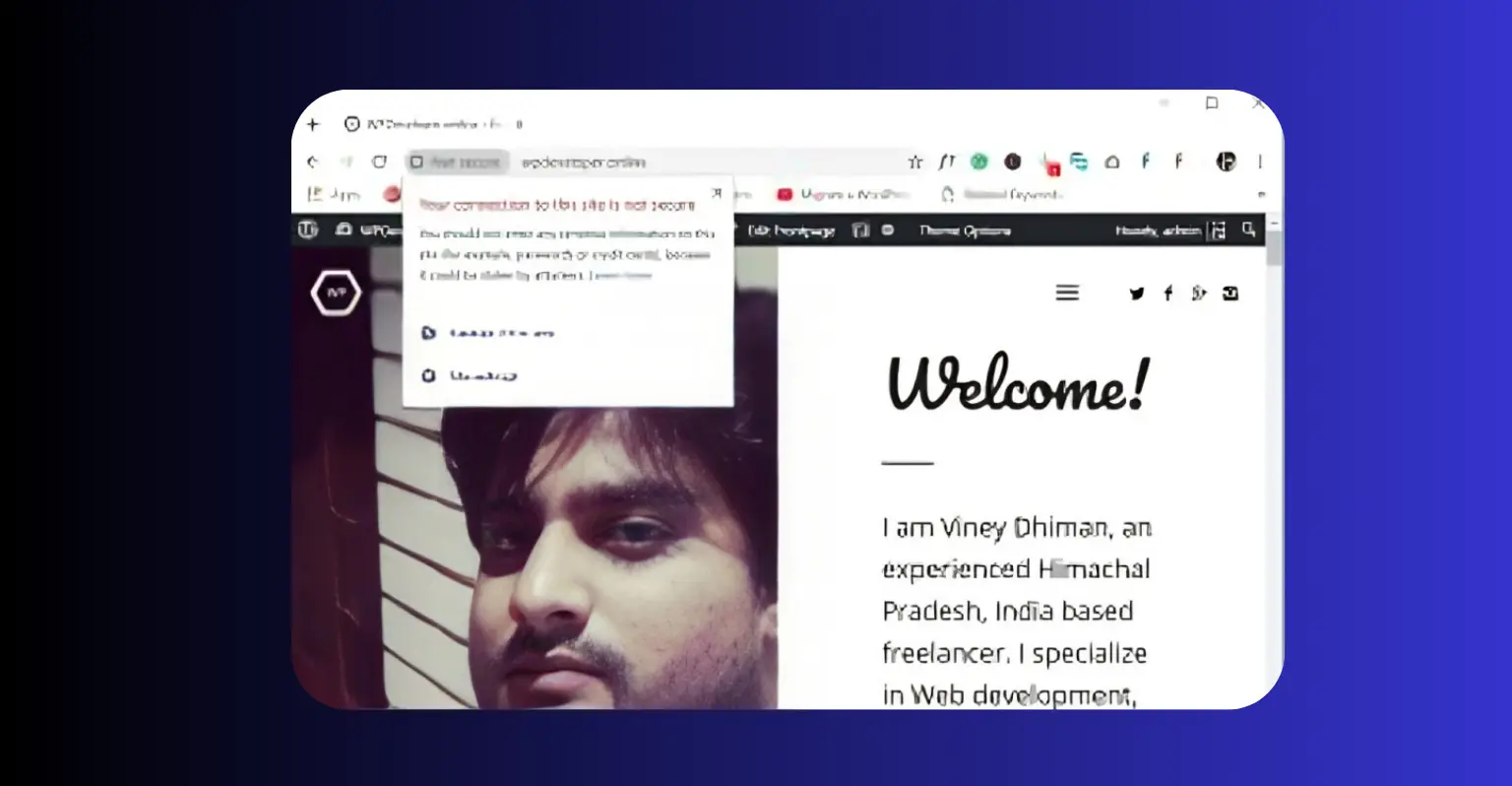
When a browser shows that grey “Not Secure” label, it is telling your visitor that the connection between their phone and your server is not encrypted. Anything they type (a contact form, a login, a payment, even a phone number) travels in plain text that anyone on the same Wi-Fi network can read.
HTTPS fixes this by wrapping the connection in encryption, and the SSL certificate is the digital ID card that makes HTTPS possible. Without it, the browser cannot verify your site, so it warns the visitor by default. In 2026, HTTPS is the baseline. It is the floor every website must clear before a browser even considers it trustworthy.
The warning costs you in three stacked ways:
- Trust. Visitors see “Not Secure” before they read a single word of your page, and that hesitation kills forms and sales.
- SEO. HTTPS has been a Google ranking signal since 2014. An HTTP site starts every race behind its secure competitors.
- Safety. Unencrypted data can be read or tampered with in transit, which is also a problem under the Ghana Data Protection Act if you collect customer details.
The four causes of the warning
When clients ask us how to fix “Not Secure” warning on my website, the cause is almost always one of these four:
- No SSL certificate at all. The site was launched on plain HTTP and nobody ever installed a certificate. Very common with older Ghanaian business sites.
- An expired certificate. SSL certificates expire. If yours lapsed and did not auto renew, the warning returns even on a site that was once secure.
- Mixed content. The certificate is installed, but some images, scripts or styles still load over http, so the browser keeps the warning.
- Wrong domain coverage. The certificate covers yourdomain.com but not www.yourdomain.com (or a subdomain like shop.), so one version stays flagged.
How to fix “Not Secure” warning on my website: the complete fix
For a second professional walkthrough of the same migration, see this guide on how to fix a website that is not secure. Most sites we audit complete the whole journey in well under a day.

What the fix costs in Ghana
| Route | Typical cost | Notes |
|---|---|---|
| Free Let’s Encrypt SSL, self installed | GH¢0 | One click in most modern hosting panels, auto renews |
| Paid SSL certificate | GH¢200 to GH¢600 / year | Only needed for special validation or wildcard cases |
| Professional HTTPS migration (agency) | GH¢300 to GH¢1,000 one time | Includes redirects, mixed content cleanup and Search Console update |
| Maintenance plan with SSL monitoring | GH¢200 to GH¢500 / month | The warning can never quietly return |
If you completed every step and still wonder how to fix “Not Secure” warning on my website, the leftovers are usually a stubborn old script, a third party widget serving http, or a certificate that misses your www version. A professional audit finds these in minutes.
Why the padlock matters even more in Ghana
- Mobile money customers. Ghanaians happily pay by MoMo, but only on sites that look safe. The padlock is the visual signal people use before typing anything.
- WhatsApp first buyers. A contact form on a “Not Secure” site feels risky. The same form behind a padlock gets filled.
- Google competition. Your Accra and Kumasi competitors already migrated years ago. Every month on HTTP widens the ranking gap.
- Compliance. Collecting customer data over an unencrypted connection is a Ghana Data Protection Act risk you can remove for free.
Frequently asked questions
Does the Not Secure warning mean my website is hacked?
No. It means your connection is unencrypted, not that you have been hacked. But it damages trust and rankings either way, and an unencrypted connection is easier to attack, so fix it regardless.
Can I get an SSL certificate for free?
Yes. Let’s Encrypt certificates are free, install with one click in most hosting panels, and renew automatically every 90 days. Paid certificates exist for special needs, but free is perfectly enough for a business website.
Why does my site still say Not Secure after installing SSL?
Mixed content. Some images, scripts or styles still load over http while the page itself is https. Update those URLs (a WordPress search and replace plugin makes it quick) and the padlock returns.
Does fixing the warning help SEO?
Yes. HTTPS has been a ranking signal since 2014, and secure sites convert better because visitors trust the padlock. You remove both the ranking drag and the hesitation at your forms.
How long does the fix take?
For most small sites, one afternoon: install, redirect, clean mixed content, update Search Console. Large sites with thousands of old hard coded links take longer, which is exactly when a professional migration pays for itself.
Final thoughts
So, how to fix “Not Secure” warning on my website? Install a free SSL certificate, force HTTPS with a 301 redirect, clean every trace of mixed content, tell Google about the secure version, and make sure renewals can never lapse. That is it. One afternoon of work, often completely free, removes the scariest label the internet can attach to your business and brings back the padlock that makes strangers comfortable enough to become customers. In 2026, encryption is not a luxury feature. It is the entrance fee to being taken seriously online.
If you would rather hand the migration to professionals who do it weekly, our digital services are built for Ghanaian small businesses, and you can get in touch with us here. We are right here in Nsawam, keeping businesses across Ghana secure, visible and growing. And once your padlock is back, keep it safe with our guide on the website maintenance checklist for Ghana businesses.
Need Help Securing Your Business Website & Email Domain?
Talk to WebGold Digital today for professional web design, SEO, and secure business email configuration in Ghana.