How to Fix Mixed Content Errors After SSL: The Exact Cleanup Guide
Quick facts at a glance
- Mixed content means your page is HTTPS but some images, styles or scripts still load over HTTP.
- It appears almost only after installing SSL, because old content still points to insecure http addresses.
- Chrome blocks active mixed content (scripts, styles) and merely warns about passive mixed content (images, video).
- The browser console (F12) lists every insecure resource, so you never have to guess.
- Free WordPress tools (Really Simple SSL plus a search and replace plugin) fix most sites in under an hour.
I am the team behind WebGold Digital, a web design and SEO agency based in Nsawam. We finish incomplete SSL migrations for Ghanaian businesses every week, so if you installed a certificate, expected the padlock, and got a warning instead, this guide on how to fix mixed content errors after SSL is written exactly for you. Prefer we clean it for you? Message us on WhatsApp or see our portfolio first.

What mixed content actually is
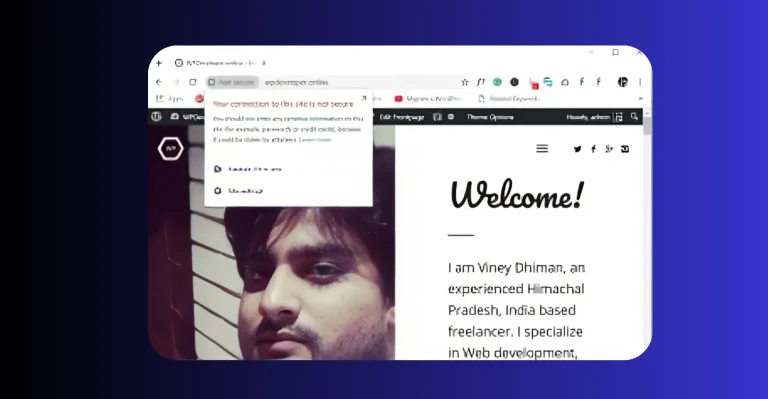
Your SSL certificate did its job: the page itself now loads over an encrypted HTTPS connection. But a webpage is not one file. It is a bundle of images, stylesheets, scripts, fonts and sometimes videos, each fetched from a URL. If even one of those URLs still begins with http, the browser sees a secure page dragging in an insecure ingredient, and it refuses to call the page fully secure.
Browsers split mixed content into two types:
| Type | Examples | What Chrome does |
|---|---|---|
| Passive (display) mixed content | Images, audio, video | Warns, hides the padlock, may block images in stricter modes |
| Active mixed content | Scripts, stylesheets, iframes | Blocks it, which can break your layout, sliders or checkout |
That is why some owners see a broken slider or missing styles after installing SSL: the browser is protecting visitors by blocking the insecure script. The fix is not removing SSL. The fix is updating the old http references.
Why it happens right after installing SSL
When clients message us how to fix mixed content errors after SSL, the story is always the same: the certificate installed perfectly, then the padlock never showed. The culprits, in order of frequency:
- Old database URLs. Years of posts and pages saved image links as http, and installing SSL does not rewrite history.
- Hard coded theme links. Logos, background images or fonts called with http inside theme files or page builder blocks.
- Third party widgets. Chat buttons, counters or embeds loaded from an insecure address.
- Wrong site address settings. WordPress still thinks the site lives on http, so it keeps generating insecure URLs.
- Stubborn caches. The fix is already done, but a cached copy keeps serving the old insecure page. Always purge before panicking.
How to fix mixed content errors after SSL: the complete cleanup
This exact sequence mirrors the professional method described in this Hostinger tutorial on fixing mixed content in WordPress, and for most sites the whole cleanup finishes in under an hour.

If the warning still survives
If you have done all of the above and still ask how to fix mixed content errors after SSL, the usual suspects are these three:
- A CDN still serving http. Log into the CDN and force HTTPS on its side too.
- An external script with no secure version. Host the file yourself on your own https domain instead.
- A page builder storing escaped URLs. Some builders save links in a coded format that simple search and replace misses, and need their own re save or a developer’s touch.
At this point a professional audit is cheaper than an evening of guesswork. We complete stuck SSL migrations like this weekly, and our guide on how to fix the Not Secure warning on your website covers the bigger picture this cleanup belongs to.
How to stop mixed content from ever returning
- Always upload and link over https once your site is secure, and prefer relative links for internal media.
- Check new plugins and widgets in the console before they go live.
- Keep Really Simple SSL active as a safety net that catches stragglers.
- Put SSL checks in your monthly routine. Our website maintenance checklist for Ghana businesses includes the padlock check so a lapse can never sneak back.
Frequently asked questions
What exactly is a mixed content error?
A secure HTTPS page that still pulls some resources (images, styles, scripts, videos) over insecure HTTP. The browser then refuses to award your site the padlock.
Why did it appear right after I installed SSL?
Because SSL changed your address to https, but old content stored in your database, themes and widgets still points to http URLs. The certificate works. The old links are what need cleaning.
Is mixed content dangerous?
Passive mixed content mainly destroys trust and hides your padlock. Active mixed content (scripts and styles) can be tampered with in transit, which is why browsers block it and your layout may break.
Will a plugin fix everything?
Really Simple SSL clears most cases fast, but hard coded theme links, escaped page builder URLs and insecure third party widgets sometimes need a database search and replace or manual edits.
Does WebGold Digital fix mixed content?
Yes. From Nsawam we run complete SSL migrations: redirects, database cleanup, widget fixes, cache purges and Search Console updates, usually within one working day. Message us on WhatsApp.
Final thoughts
So, how to fix mixed content errors after SSL? List the insecure resources in your console, point WordPress at https, switch on a mixed content fixer, clean the database after a backup, repair hard coded links, purge every cache and rescan until clean. It is not magic and it is not expensive. It is a tidy checklist that ends with the padlock your customers trust and the ranking signal Google expects. You installed SSL to protect your business. Finishing the cleanup is what actually collects the reward.
If you would rather hand the checklist to people who run it every week, our digital services are built for Ghanaian small businesses, and you can get in touch with us here. We are right here in Nsawam, keeping businesses across Ghana secure, visible and growing.
Need Help Securing Your Business Website & Email Domain?
Talk to WebGold Digital today for professional web design, SEO, and secure business email configuration in Ghana.