How to Move My Website from HTTP to HTTPS (Complete 2026 Guide)
Quick facts at a glance
- Seamless Migration: Learning how to move my website from HTTP to HTTPS prevents Google ranking drops, eliminates browser warnings, and secures user data.
- 301 Permanent Redirects: Automatically forwards all old HTTP traffic to secure HTTPS so bookmarks and backlinks never break.
- Fix Mixed Content: Update old database image URLs from
http://tohttps://to show the green browser padlock. - Google Search Console: Add a new HTTPS property in Search Console and resubmit your updated XML sitemap.
- Zero Downtime: A properly executed SSL migration takes less than 30 minutes with zero downtime for visitors.
Short Answer
How to move my website from HTTP to HTTPS: First install a valid SSL certificate on your hosting server. Next, change your WordPress Address and Site Address to https://. Then add a 301 permanent redirect rule to your server’s .htaccess file, replace hardcoded insecure database assets using a search-and-replace plugin, and update your sitemap in Google Search Console.
I am the team behind WebGold Digital, a web design and SEO agency based in Nsawam, Ghana, and I will guide you through migrating without losing traffic. If you would rather our technical team manage your complete HTTPS migration safely, message us on WhatsApp or see our portfolio first.

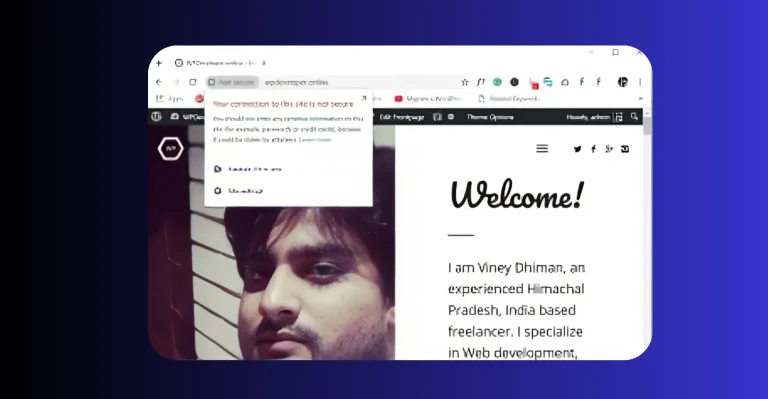
Figure 1: Migrating from HTTP to HTTPS encrypts all network requests and preserves your organic search rankings.
Moving to HTTPS is more than just installing an SSL certificate. If you do not configure proper 301 redirects and database updates, search engines will treat your site as two competing duplicates, hurting your Google rankings in Ghana.
How to Move My Website from HTTP to HTTPS: 5 Essential Steps
Follow this complete technical roadmap to complete your migration safely:
| Migration Step | Where to Perform | Action Required |
|---|---|---|
| Step 1: Backup Full Site | cPanel / WordPress | Take a complete snapshot of your MySQL database and web files before editing URLs |
| Step 2: Install SSL | cPanel → SSL/TLS | Generate and activate your free Let’s Encrypt or AutoSSL certificate |
| Step 3: Update Site URLs | WordPress → Settings | Change WordPress Address (URL) and Site Address (URL) to begin with https:// |
| Step 4: Add 301 Redirect | Root .htaccess File |
Add Apache rewrite rules to automatically forward all incoming HTTP visits to HTTPS |
| Step 5: Fix Mixed Content | WordPress Plugins | Use Better Search Replace to swap old http://yourdomain.com image links |
Executing these steps in order guarantees that every visitor and Googlebot crawler gets seamlessly redirected to your secure URL.
Configuring .htaccess 301 Permanent Redirects
A 301 redirect is the search-engine-friendly way to tell Google that your site has permanently moved to HTTPS.
In a comprehensive technical guide by Aveshost on redirecting HTTP to HTTPS, server administrators highlight that setting up server-level 301 rewrite rules inside your Apache .htaccess file is significantly faster and more reliable than relying purely on PHP plugins, transferring 100% of your existing SEO link authority seamlessly.
| Redirection Method | Execution Speed | SEO Impact |
|---|---|---|
| Server .htaccess (Recommended) | Instant (Server-level execution) | Preserves 100% of backlinks and ranking equity |
| WordPress Plugin Redirect | Slight delay (Loads PHP & WordPress core) | Good, but increases server memory overhead |
| Cloudflare Edge Rule | Ultra-fast (Redirects at CDN edge) | Ideal for high-traffic corporate portals |

Figure 2: Verifying your new HTTPS property in Google Search Console ensures continuous indexing and traffic growth.
How to Fix Mixed Content Warnings in WordPress
If your browser still does not show the secure padlock after redirecting, your pages contain mixed content. Here is how to fix it immediately:
- Run Database Search & Replace: Use a tool like Better Search Replace to search for
http://yourdomain.comand replace it withhttps://yourdomain.comacross all database tables. - Check External Scripts & Fonts: Ensure third-party fonts (Google Fonts) and tracking scripts (Google Tag Manager) use secure HTTPS URLs.
- Update Custom CSS Background Images: Check your theme stylesheet for hardcoded HTTP image links.
- Clear All Caching Layers: Purge WordPress page cache, CDN cache, and browser cache to verify the changes.
Post-Migration SEO Checklist for Ghana Businesses
After enabling HTTPS, complete these essential SEO tasks to keep your rankings intact:
| Platform | Task Required | Importance |
|---|---|---|
| Google Search Console | Add HTTPS Domain property & submit sitemap | Critical for search indexing |
| Google Analytics 4 | Update default URL property to https:// | Accurate visitor tracking |
| Social & Ad Campaigns | Update Meta Ads and Google Ads destination URLs | Faster ad click load speeds |
Need a free certificate before migrating? Read our step-by-step guide on how to get a free SSL certificate in Ghana to generate your certificate in minutes.
Step-by-Step Migration Summary
Following this proven blueprint on how to move my website from HTTP to HTTPS ensures zero traffic loss and guarantees every old URL automatically redirects to its encrypted counterpart. Check your progress with this workflow:
- Step 1: Confirm active SSL certificate status in your hosting control panel.
- Step 2: Change General Settings URLs to HTTPS inside WordPress.
- Step 3: Insert 301 rewrite directives into your root
.htaccessfile. - Step 4: Perform database URL replacement to clean up mixed content links.
- Step 5: Test your homepage and contact forms in an incognito window to verify the green padlock.
Frequently Asked Questions About HTTP to HTTPS Migration
Why is learning how to move my website from HTTP to HTTPS important for SEO?
HTTPS is an official Google ranking factor. Moving to HTTPS boosts your search authority, improves click-through rates, and eliminates browser security warnings.
What is the .htaccess code to redirect HTTP to HTTPS?
You add RewriteEngine On followed by RewriteCond %{HTTPS} off and RewriteRule ^(.*)$ https://%{HTTP_HOST}%{REQUEST_URI} [L,R=301].
Do I need to update my backlinks after migrating to HTTPS?
With proper 301 redirects in place, old backlinks will automatically forward to the new HTTPS URLs without losing their SEO ranking power.
Can WebGold Digital migrate my website to HTTPS safely?
Yes. WebGold Digital provides complete zero-downtime SSL migrations for Ghanaian businesses, ensuring all databases, images, and SEO configurations transition flawlessly.
Final Thoughts
Ultimately, knowing how to move my website from HTTP to HTTPS is a critical technical requirement for any modern business website in Ghana looking to protect buyer trust and scale organic search traffic safely. Proper 301 redirects, database cleanup, and Search Console updates guarantee an effortless transition.
If you want expert web developers to manage your SSL migration and site optimization with zero technical errors, explore our web design and technical SEO services, or contact our expert team today. We are proudly based in Nsawam, supporting businesses across Ghana to build fast, secure, and reputable digital brands.
Need Help Migrating Your Website from HTTP to HTTPS?
Talk to WebGold Digital today for professional web design, SEO, and zero-downtime HTTPS migration in Ghana.